Make your own map
You start from an empty level and end with a map that NEW GAME offers, with its start points, zombies, loot and navigation, and on a large map a world map.
Small map or large map
The template supports two shapes of map. Pick one.
| Small map | Large map | |
|---|---|---|
| Example | the farm built here | Maps/L_World (Pine Hollow) |
| World Partition | no, everything stays loaded | yes, cells load around the players |
| Zombies come from | a spawn plan, on one BP_Spawner |
population volumes (BP_PopulationVolume) |
| Containers | spawned by the plan, with their contents | placed in the map, filled from loot tables |
| World systems (zones, hordes, houses, power, fire, events, world map) | none | one BP_ZoneManager |
| Good for | a few houses, a test level | a town |
All paths below start at Content/ZombieSurvival/.
Part 1: what every map needs
1. Create the level
- File > New Level. Pick Empty Level for a small map, or a level with World Partition (Empty Open World) for a large one.
- Save it under
Maps/with theL_prefix, for exampleMaps/L_Farm. - Leave GameMode Override empty in World Settings. The project's default game mode,
Blueprints/Core/BP_ZSGameMode, then runs it.
2. Lay out the ground and the buildings
The whole kit is on a 300 uu grid, so snap to 300.
The fastest building is a prefab. Drop a Target Point, right-click it,
Scripted Actor Actions > Stamp Prefab, and pick one of the nine prefabs in
DataAssets/Prefabs/Childs/, for example DA_Prefab_SmallHouse. It brings the building with its
furniture, its room volumes and its vision volumes. To build by hand and give each building its vision
volume, follow Build a house.
The camera looks from a fixed 45° angle, so the cutaway hides the −X and −Y walls of every building.
3. Light and post-process
- Place one
Blueprints/World/BP_WorldEnvironment. It carries the sun, the moon, the sky light and the exposure, and follows the hour and the weather. A map without one keeps the fixed lighting you put in it. - Copy the PostProcessVolume of
Maps/L_Worldinto your map. It listsMaterials/Shared/M_PP_PlayerSilhouette. Without that material, your survivor's silhouette behind obstacles and the outline of items in reach are missing. Check that its weight in Post Process Materials is 1: at 0 the material is listed but does nothing.
The copy and paste has not been tried, only a new PostProcessVolume with the same material added by hand.
3b. Dress the ground (optional)
A flat ground reads as empty from the fixed camera. Build a house describes the grass material and the foliage to paint, and gives the rules for fences and thin props.
On a large map, lay the grass on a flat mesh and scale it as much as you like. Pine Hollow's ground is
64 Meshes/Environments/Buildings/SM_Floor_Tile, each scaled to 64 m. The tile's pivot is a corner,
so check that its bounds cover your map once it is scaled.
Decor such as wrecks or bins is a plain static mesh from Meshes/Environments/Props/ and Street/.
A tree trunk, like anything with collision, changes where zombies can walk, so build the navmesh
(step 4) after you paint and place them.
4. Navigation
- Place a NavMeshBoundsVolume that covers every place a zombie should walk.
- On the level's RecastNavMesh, set Runtime Generation to Dynamic. Walls built during play then really block the zombies.
5. Start points
- Place at least one ordinary PlayerStart. It is used when no start point applies.
- Place three to five
Blueprints/World/BP_StartPointwhere characters should arrive. - Give each one a
PointIdunique in the map, for exampleFarmhouse,Barn,Road.
A point someone stands on falls back on the nearest free one, then on a PlayerStart.
6. Save Ids
Every persistent actor (door, window, fence, barricade, container, furniture, pickup) carries a
SaveId, the key the save stores. After placing them, and again after every change:
- Right-click any actor of the open map, Scripted Actor Actions > Assign Save Ids.
- Then Scripted Actor Actions > Validate Save Ids.
- Save the map.
Both actions treat the whole map, whichever actor you clicked, and report in the Output Log, for example Assign Save Ids: 11 checked, 11 assigned and Validate Save Ids: 11 checked, 0 empty, 0 duplicate(s). On a large map, load every cell first (Part 3).
7. Register the map
-
In
DataAssets/Session/Childs/, create a Data Asset of classPDA_MapDef, for exampleDA_Map_Farm, and fill it:Field Example What it does MapAssetL_FarmThe level. MapIdFarmA unique name, kept in every world made on this map. Do not change it later. DisplayNameWillow Farm Shown by NEW GAME and LOAD. StartPointsone row per BP_StartPointIts PointId, and the name the menu shows. -
Open
Blueprints/Core/BP_ZSGameInstance, Class Defaults, and addDA_Map_FarmtoMaps. - Add the level to the maps to cook: Edit > Project Settings > Packaging, List of maps to
include in a packaged build (
MapsToCookinConfig/DefaultGame.ini).
Part 2: populate a small map
A small map gets its zombies, its containers and the starting kit from one spawn plan.
-
In
DataAssets/Spawns/Childs/, duplicateDA_SpawnPlan_WorldStartand rename the copy, for exampleDA_SpawnPlan_Farm. It holds the starting kit of Pine Hollow and nothing else: fill its two other arrays.Array Each entry ZombieSpawnsLocation,Yaw,Def(a zombie definition,PDA_ZombieDef)LootSpawnsLocation,Yaw,SaveId,CabinetMesh,Contents(item stacks)StartItemsitem stacks put in the survivor's bag at the start; a weapon among them is put in hand -
Give every
LootSpawnsentry its ownSaveId. Two containers that share one empty together. - Place one
Blueprints/World/BP_Spawnerin the map and set itsPlanon the placed actor, not on the class.
Part 3: a large map on World Partition
A large map loads and unloads its cells, so its world systems run in actors that stay loaded. This part has not been played as written.
1. Load everything while you set it up
In the World Partition window, select all the cells and Load Region From Selection. Keep them loaded while you place the actors below, build the navmesh and assign the Save Ids.
2. The always-loaded actors
Untick Is Spatially Loaded on each of these, so they run wherever the players are:
- One
Blueprints/World/BP_ZoneManager. The world systems hang on it, from the loot tables to the hordes and the world map. Its numbers are inDataAssets/World/Childs/DA_WorldSettings_Default. A map without aBP_ZoneManagerkeeps everything loaded, which is too heavy for a large one. - One
BP_Spawnerwhose plan holds onlyStartItems, for the starting kit. Pine Hollow's plan isDA_SpawnPlan_WorldStart. - Your population volumes (step 4).
3. Rooms, houses and containers
- Put a
BP_RoomVolumearound each room that should roll its own loot, with itsRoomType(a tag such asRoom.Kitchen) and itsFloor. A stamped prefab brings its room volumes. - Put one
BP_HouseControlleraround each building that may be locked or alarmed, with itsHalfExtentand aSaveId. - Place the containers empty. The host fills each one the first time it loads, from the loot table of its room and furniture. A container filled by hand shows twice to a client who comes back to its cell.
- Tick Net Load on Client on every container and house controller placed in a cell. Without it, a player who walks away and comes back sees those containers twice. The action Scripted Actor Actions > Storage Containers turns furniture into containers and ticks it for you.
4. Zombies
- Place a
Blueprints/World/BP_PopulationVolumeat ground height and stretch it by its scale (the box is 1 m times the scale). - Set
DensityPerHectare,DefaultDefandArchetypes(the weights of the zombie definitions it draws). - Fill
ExcludeCentersandExcludeExtentswith the boxes of the houses it covers, taken from theBP_HouseControllerboxes, so nobody spawns inside a house.
The volume is read once, on the first tick of a new world. No zombie is sown within SpawnClearance
(80 m) of a start point. Hordes form by themselves from
the zombies far from the players.
5. Navmesh and Save Ids, with every cell loaded
- One NavMeshBoundsVolume over the whole map, Runtime Generation Dynamic, built with every cell loaded.
- Assign Save Ids, then Validate Save Ids, with every cell loaded. Save.
6. The world map
The M map shows a picture baked from your level.
- With every cell loaded, place a SceneCapture2D above the centre of the area. Rotation: pitch −90, yaw −90. Projection Type Orthographic, Ortho Width the width of the area, Capture Source Base Color, and a new 2048 × 2048 render target as Texture Target. Capture once.
- Right-click the render target, Create Static Texture, and save it under
Textures/UI/Map/. Delete the capture actor and the render target. - Create a Data Asset of class
PDA_WorldMapDefwith thatTextureand the corners of the captured square,WorldMinandWorldMax, in uu. - Set it as
MapDefon the placedBP_ZoneManager.
The paper look comes from the material, not from the picture. Give a map its world map has the details and the limits.
Check that it works
-
Open
Maps/L_Bootand start it as a Standalone Game (the arrow next to Play). In the editor's own Play, Esc stops the game instead of opening the pause menu, which point 5 needs. NEW GAME offers your map and its start points.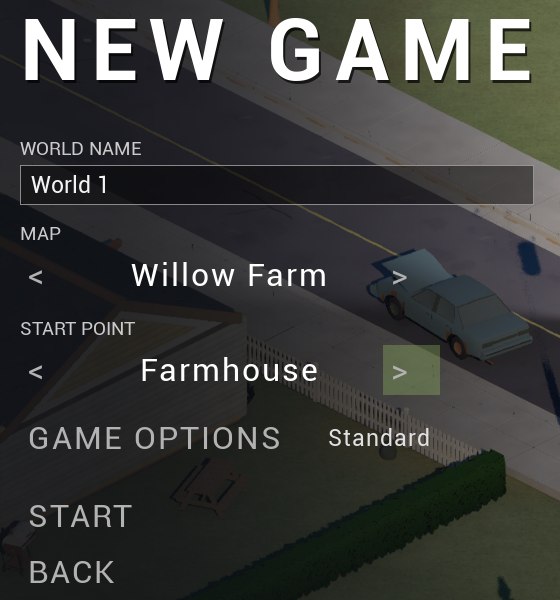
-
Start a world. Your survivor arrives at the chosen point with the starting kit.
- Zombies walk towards you when they notice you.
- Containers hold items. Loot one, walk away and come back: it stays looted.
-
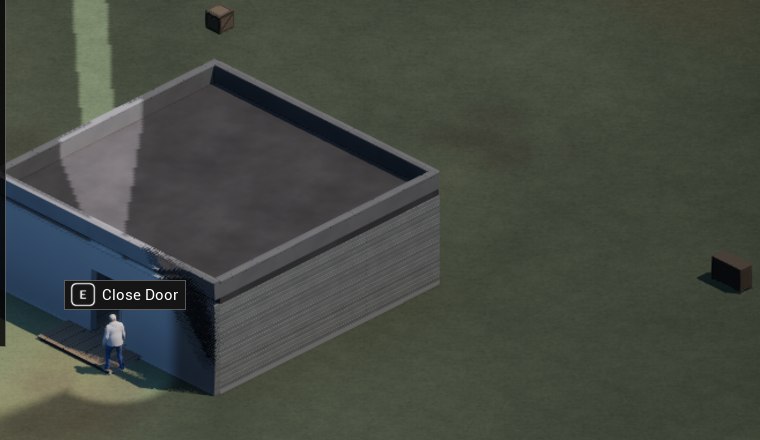
Open a door, then Esc, SAVE GAME, MAIN MENU and CONTINUE. The door is still open.
-
Walk into a building: the camera-side walls disappear. This check has not been played.
- On a large map, press M: the map shows, and the fog lifts around you as you walk.
If it does not work
- The map is not in NEW GAME: its
PDA_MapDefis missing fromMapsinBP_ZSGameInstance. - The zombies do not move at all: there is no NavMeshBoundsVolume, or the navmesh was built with cells unloaded.
- Two containers empty together: they share a
SaveId. For containers of a spawn plan, give eachLootSpawnsentry its own. For containers placed in the map, run Assign Save Ids and Validate Save Ids again. - Containers appear twice on a large map after you walk away and come back: Net Load on Client is off on them. Tick it on an empty container. A container filled by hand has to keep it off, so empty it and let a loot table fill it.
- Containers stay empty on a large map: no loot table names their room or furniture.
- No hordes, no world map, no locked houses: the map has no
BP_ZoneManager, or the manager is spatially loaded. - The map is missing from a packaged build: add it to
MapsToCook. - Walls do not disappear inside a building: the building has no
vision volume (
BP_VisionZone), or its walls are not taggedVisionOccluder.