Multiplayer
Co-op is hosted by one of the players. Their game is the server and the others join it, with no
dedicated server. A game holds four players at most, and
MaxPlayers in
Content/ZombieSurvival/DataAssets/Session/Childs/DA_Session_Default changes that number.
Network model explains how it is built, and
two players in the editor is the way to try co-op
while you work.
Tested on one PC
Co-op was tested with four packaged games on one PC. Two separate PCs, and the Internet path with a forwarded port, have not been tested.
Hosting
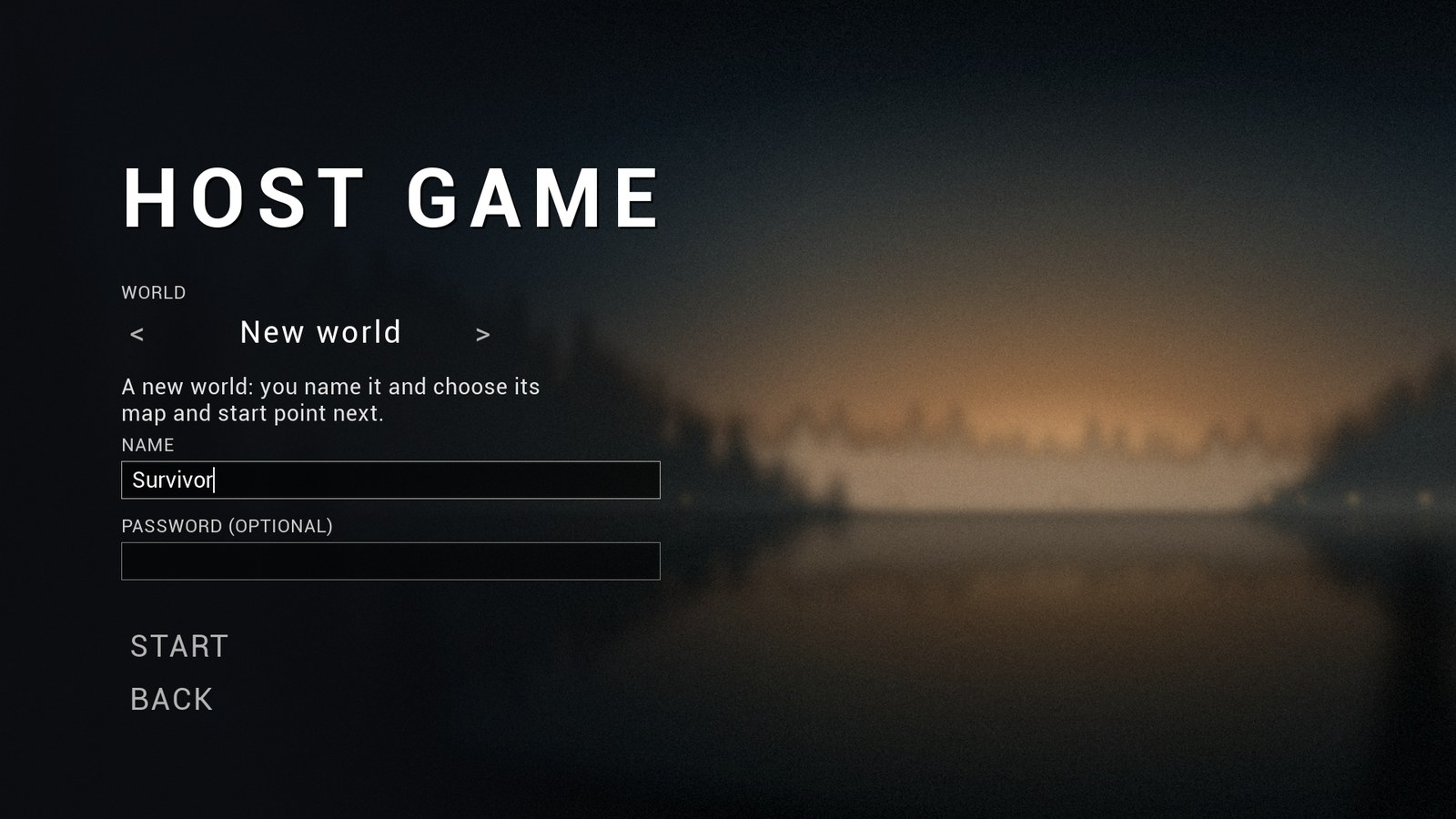
- Main menu, HOST.
- Type the name the others will see above your survivor, and an optional password.
- Choose the WORLD with the arrows: your saved worlds, the last played first, then New world.
- Press START.
A saved world is hosted with the options it was created with. GAME OPTIONS shows them and lets nothing change. New world opens the New Game screen, then character creation. A new world has its own save files and never replaces another.
Joining
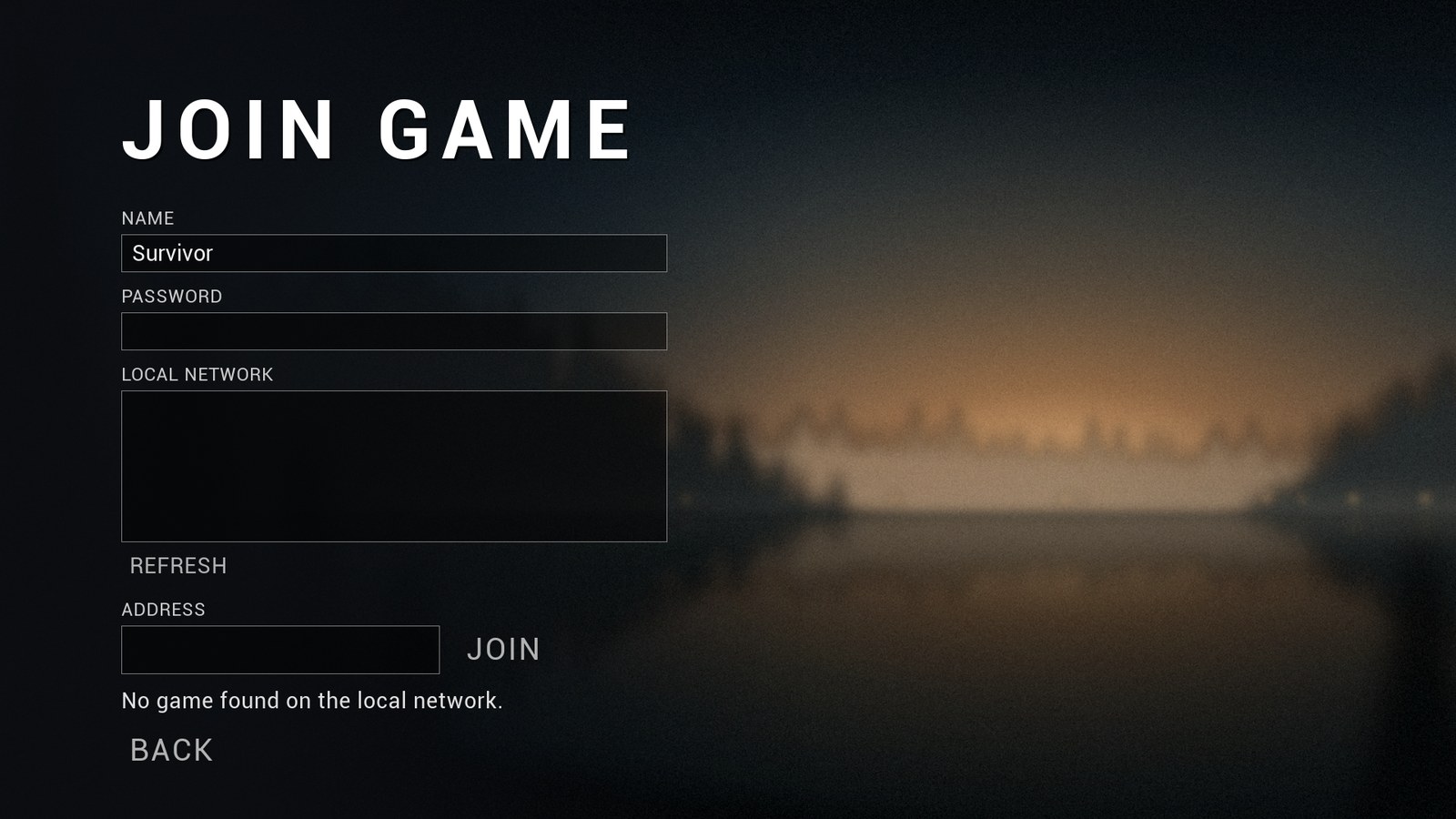
- Main menu, JOIN.
- Type your name, and the password if the host set one.
- Click a game in the list, which shows the games on your local network with their player count and ping. Otherwise, type the host's address in the address field and press JOIN.
REFRESH searches again. In a world where you have no character yet, character creation opens over the world first.
A listed game reads <host machine name>-<id>, which is the host's machine and not the name typed
in the host menu. Player names appear in the game, above each survivor.
When port 7777 is taken
If another program on the host's PC already holds UDP port 7777, Unreal listens on the next one
(7778) without a word on screen. The host's log names it (IpNetDriver listening on port). The
local list still finds the game. Players who join by address add the port: 192.168.1.20:7778.
Over the Internet
The engine's default online subsystem, Null, only finds games on the local network. Across the Internet, the host forwards UDP port 7777 on their router to their PC, and the others join by address. There is no NAT traversal and no lobby service. A host who cannot open a port can use a virtual local network tool such as ZeroTier, Tailscale or Radmin VPN.
Bandwidth
A player who arrives is sent the whole neighbourhood around their survivor at once, several
megabytes on Pine Hollow. For that, Config/DefaultEngine.ini raises Unreal's ceiling per player
from 100,000 to 1,000,000 bytes per second, with MaxClientRate and MaxInternetClientRate on the
host's side, and ConfiguredInternetSpeed and ConfiguredLanSpeed on the joining player's.
Between two packaged games on one PC, a new player waited 94 s from the end of character creation to their survivor with Unreal's default, and 2 s with the shipped value.
The host needs that much upload while a player arrives (8 Mbit/s). On a slower line, lower the two host values. Arriving takes longer and nothing else changes.
Steam and other platforms
The template does not ship Steam, Epic Online Services or any other platform. Add Steam yourself shows where Steam plugs in. Epic Online Services need product credentials of your own and an integration that goes beyond Blueprint alone.
Arriving, leaving, coming back
A player who joins a game in progress sees the world as it is, down to the items on the floor and the blood on the ground.
Each player owns a character sheet in the host's world, keyed by an identifier kept in their local
profile (SG_LocalProfile, in their own Saved/SaveGames/). When you come back, you find your
survivor where you left them, with the same bag and wounds. A player who deletes that profile is a
new player to every host.
When the host leaves, everyone returns to the main menu, which shows the reason.
Dying
Everything your survivor carried drops where they fell, and the others can loot it. CREATE CHARACTER, on the death screen, starts a new character at the world's start point, in the same world, with the starting kit.
Saving
Only the host saves, into its own Saved/SaveGames/. It saves from the pause menu (SAVE GAME,
shown to the host only), when the host quits, and every AutosaveGameMinutes game minutes, 120 by
default on BP_ZSGameInstance. The save holds the world and every player's character sheet.
Save, load and death lists what it keeps.
Pausing and speeding time up
The pause menu stops the world only while the host is alone. With anyone else connected, it opens without pausing anything.
While the host plays alone, the clock in the top right shows three buttons, x1, x2 and
x4, and the radial menu a Time speed entry that steps through them. The whole world runs
faster (the sun, the weather, hunger, thirst, fatigue and the infection), but not the movement.
When a second player is admitted, the speed returns to x1 and the buttons disappear. The three
speeds are TimeSpeeds in DA_SeasonSettings_Default.
Versions
A player whose game version differs from the host's is refused before entering, with "The host
runs a different version of the game." The version is ProjectVersion, in
Edit > Project Settings > Description (Config/DefaultGame.ini). Increase it at every release you
publish, so that a player with an older build is turned away instead of failing later in an
unexplained way. The main menu shows a separate setting, GameVersion on BP_ZSGameInstance.
Give it the same value.
Chatting
Press T to type, Enter to send, Esc to close the line.
- A plain message goes to every player.
- Start it with
/pto talk to the players within 20 m. - Start it with
/sto shout to 40 m. Zombies hear a shout too.
A message is at most 200 characters. After three messages within five seconds, the next one is refused with the reason. Messages are sent through the host and never stored.
O, held, lists the players with their ping.
The numbers and the two keys (ChatKey, ListKey) are in
DataAssets/Social/Childs/DA_SocialSettings_Default. The chat window is Blueprints/UI/WBP_Chat.
Host commands
The host types them in the chat. A client who tries gets "Only the host can do that."
| Command | What it does |
|---|---|
/kick Name |
Removes a player. |
/ban Name |
Removes the player and refuses them every time they come back. Their identifier is kept on the host's machine, in the ZS_BanList save slot, for all of the host's worlds. |
/tp Name |
Takes the host next to that player. |
/give ItemId [count] |
Puts an item of the registry into the host's bag. The id is the item's ItemSaveId. |
PvP safety
When the host allows players to hurt each other (the Player damage option, off by default), each
player still keeps a safety, on by default. Type /pvp to turn your own safety off, or back on.
Turning it off takes PvPDelaySeconds (30, in DA_SocialSettings_Default) to apply. One player
hurts another only when both have turned their safety off.
The password
The password keeps a game between friends closed to strangers who find it on the network. Do not count on it for security. The host checks it against what the joining game sends, and nothing is encrypted.
Movement
The host checks every move while bHostAuthoritativeMovement is ticked in DA_Session_Default,
which is the default. Each client still predicts its own survivor, so it stays responsive, but the
host corrects a client that ends a move more than 20 cm from where the host computes it. That
rules out walking through walls, teleporting and running faster than the survivor's speed. The
host decides everything else too, from looting and damage to saving.
With two games on one PC under Unreal's Average network emulation, walking, sprinting, aiming and 180 climbs over fences and windows produced no correction. Network model has the tolerance and the climbs.
To trust each player's machine instead, untick bHostAuthoritativeMovement, or start one game with
the URL option ?HostAuthMovement=0 (?HostAuthMovement=1 forces the check on). The host then
accepts the position each client reports for its own survivor and never corrects it. Movement
stays smooth whatever the latency, but a modified client can move its survivor anywhere.
What a second player costs the host
With a second player, the host's average frame went from 5.68 ms to 6.42 ms, about 13 % more. That
was measured on a laptop with an RTX 4050, host and client on the same PC, the client without
rendering (-nullrhi), in a test neighbourhood of four houses.
A client on its own PC costs the host only the network side of that. A client that shares the host's PC with rendering on costs more.
How many zombies the host holds
The host held 60 fps at every tier of this table. It was measured with two players on one desktop PC (Ryzen 7 9800X3D, RTX 3070 Ti, 32 GB), each in an arena of a stress map that does not ship, the arenas 150 m apart, with every zombie active around them. The client rendered, capped at 60 fps, the host was uncapped, and each tier ran 30 seconds.
| Zombies (host arena + client arena) | Host average frame |
|---|---|
| 25 (12 + 13) | 4.61 ms |
| 50 (25 + 25) | 4.77 ms |
| 60 (30 + 30) | 4.82 ms |
| 100 (50 + 50) | 6.20 ms |
| 150 (75 + 75) | 7.97 ms |
Three settings keep that cost down, and you tune them without a graph:
- A zombie far from every player (
SleepDistance, 60 m, onDA_ZombieSettings_Default) with nothing to chase falls asleep, with no thinking, no animation and no network traffic. It wakes atWakeDistance(45 m), on a noise or on a neighbour's alert. - A zombie animates every frame only within
FullAnimRateDistance(15 m, onBP_Zombie) of the local player. Farther away the engine thins its updates out, and off screen its pose is skipped. - A zombie sends its state 12 times a second (
NetUpdateFrequency), down to 2 when nothing changes.